The Send Onyx Dashboard is the central control panel for your account. It gives you a real-time overview of your audience, campaigns, deliverability signals, and quick access to all core features.
This page is designed to help you:
- Monitor list and campaign performance at a glance
- Track subscriber growth and engagement
- Complete onboarding steps quickly
- Launch campaigns and automations faster
1. Account Summary
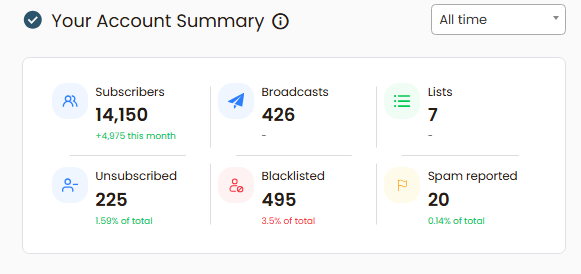
The Account Summary section shows high-level metrics for your Send Onyx account.
- Lists – Total number of email lists in your account
- Subscribers – Total active subscribers across all lists
- Campaigns – Number of campaigns sent
- Unsubscribed – Contacts who opted out
- Blacklisted – Addresses automatically blocked due to bounces or complaints
- Spam Reported – Contacts who marked your emails as spam
2. Onboarding Checklist
The Onboarding Checklist ensures your account is properly configured before sending at scale.
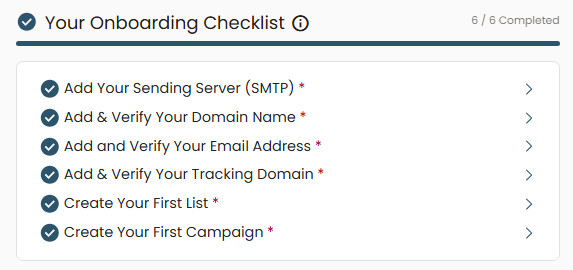
- Adding your sending server (SMTP)
- Verifying your sending domain
- Verifying your sender email address
- Setting up a tracking domain
- Creating your first list
Each completed step is marked automatically. Completing all items improves deliverability and unlocks full sending capabilities.
3. List Growth Chart
The List Growth chart visualizes how your subscriber base changes over time.
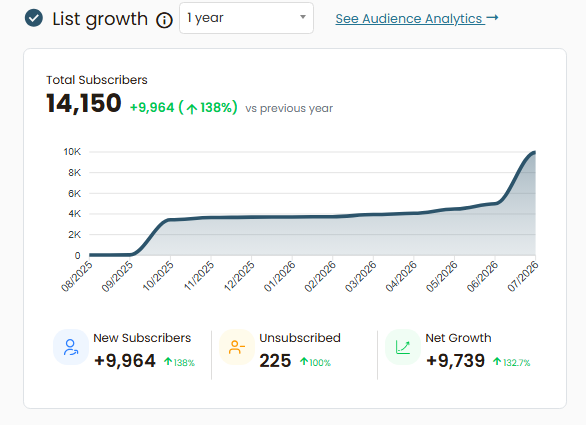
- Selectable time range (e.g. 1 year)
- Visual trend of subscriber growth
- Direct link to Audience Overview for deeper analysis
Use this section to track scaling progress and identify growth spikes or plateaus.
4. Deliverability Overview
The Deliverability Overview panel provides fast access to your deliverability data.
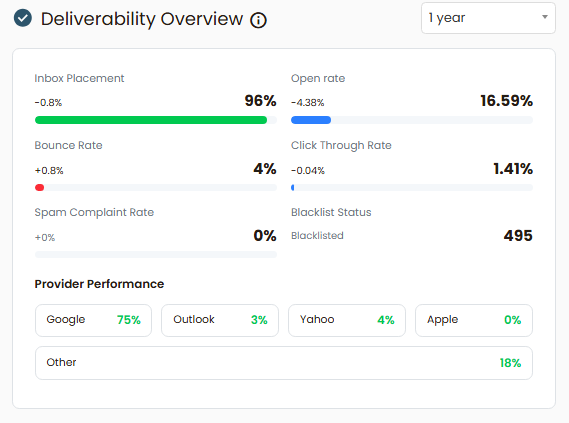
- Inbox Placement
See where your emails land. - Open Rate
Your average open rate across all your campaigns - Bounce Rate
Your Average Bounce rate across all your campaigns - Click-through rate
This section is designed to reduce clicks and speed up execution.
5. Recent Campaigns
The Recent Campaigns table shows your latest email sends and their performance.
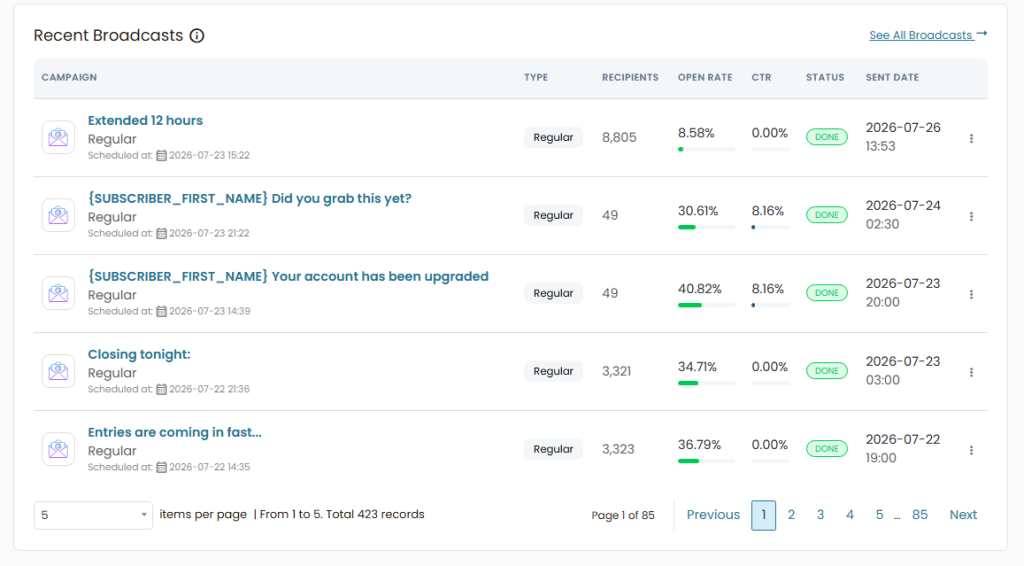
Displayed data includes:
- Campaign name
- Campaign type
- Number of recipients
- Open rate
- Click-through rate (CTR)
- Sent Date
This allows you to quickly review performance, identify high-performing campaigns, and spot engagement issues.
Summary
The Send Onyx Dashboard is designed to give you clarity, control, and speed. Whether you’re monitoring performance, setting up infrastructure, or launching campaigns, everything starts here.
Once onboarding is complete, this dashboard becomes your daily command center for scaling email campaigns with confidence.